君のこれからが自由な意志の下にあらんことを。">
Chara - a chord practice tool of CharaChorder 3D input devices developed by Tangent
ℹ️ Disclaimer: This tool is not affiliated, associated, authorized, endorsed by, or in any way officially connected with CharaChorder.
¶Links
¶Features
- Chords page
- It shows all the chords in your chord library and the practice statistics in each phase.
- It can load the chord library and the device layout from an input device.
- Chords can be bookmarked, so they would have a higher priority for entering the cycle.
- Chords can be blocked, so they would not appear in any phase.
- You can select several chords and enter a custom practice session with them.
- You can search, filter and sort the chords by various criteria.
- Adapt, Realize, Accumulate pages
- They are practice phases aligning with the CHARA cycle.
- They automatically choose chords from your chord library into the practice cycle.
- Practice set size and passing criteria can be configured in the settings page.
¶Side Topics
¶Naming and Theme Color
While thinking of a name for this chord practice tool, I wanted to align it with my previous practice tool, Alnitak, so I started collecting star names related to chording or CharaChorder. Chara was the perfect name I finally found. It’s a star name (β Canum Venaticorum), and it’s also a part of the name of CharaChorder. The name of the CHARA cycle also came up from it, so everything could be connected.
Like Alnitak, since Chara is a G-type main-sequence star, the yellow theme color is used in this application.
¶Design Concepts
¶Visual Guide
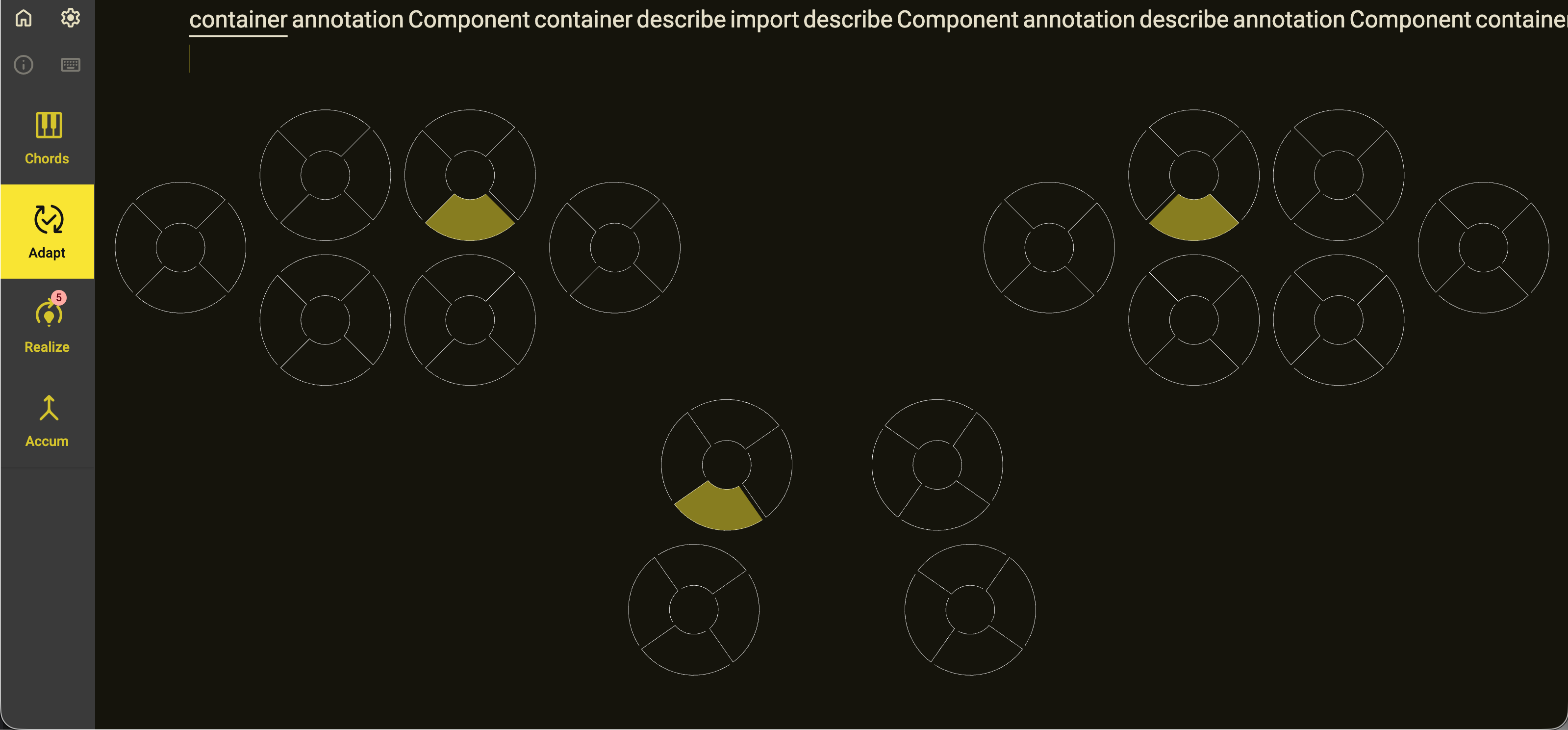
Unlike Alnitak, the visual guide on Chara doesn’t have a text label. This is intended to let the user focus more on the finger action to perform, rather than the keys.
¶Tech Stack
- Build System: Nx
- Frontend Framework: Angular
- Component Library: Angular Material
- State Management System: @ngrx/signal
- SignalStore + Entity Management
withDevtoolsfrom @angular-architects/ngrx-toolkit
- Hotkey Library: @ngneat/hotkeys
- CSS Framework: Tailwind CSS
- User Agent Parser: UAParser.js
- Operating System Logo Icon: font-logos
- Internationalization (i18n) Library: ngx-translate
- Loading Bar: ngx-loading-bar
- Table Module: AG Grid
- Speedometer Colormap: colormap